Book a process review

Examples

What we've built.

Real systems on real work.

A note on the data The systems are real. Client data stays confidential, so every screen, name and figure on this page is sample data.

01 · internal AI ยท demo

Shown on a mock company

Your whole team, always on the same page.
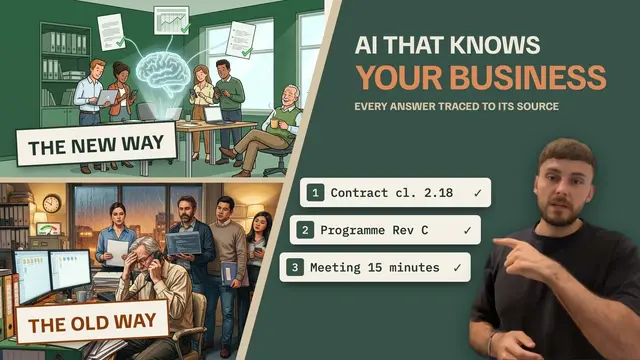
  1. Before Updates, client work and know-how scattered across inboxes and people's heads.
  2. What we built An AI that knows everything about your business, answers questions and drafts your emails, reports and presentations.
  3. After Nothing gets lost. Everyone knows where everything stands.
Back to all demos

02 · document automation ยท built and tested

Proved on: a new job's site file and RAMS

A new job's safety paperwork, drafted from your own library.

  1. Before Every new job means a site file and RAMS rebuilt from old ones by hand.
  2. What we built Builds the site file and RAMS from your approved library, marks what only you can answer, and issues the PDFs when you approve.
  3. After A full pack ready to check, with every gap marked.

What the client said

“He automated our site documents without us changing a single tool or learning anything new. [...] It now saves our team hours every week on paperwork.”

Richard Davies, Managing Director, V3 Rail & Civils
Back to all demos

03 · document automation ยท live

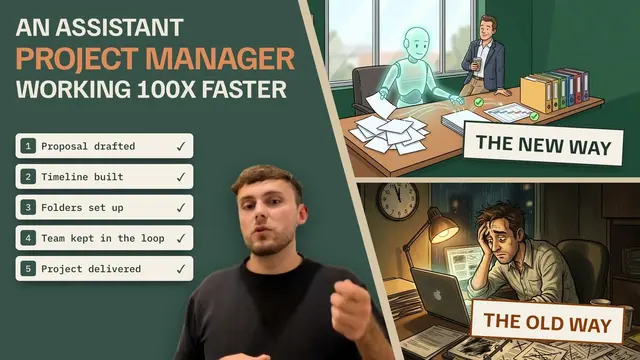
Proved on: setting up a project from its proposal

Tailored project documents, without the typing.

  1. Before Every stage of a project means new documents built by hand.
  2. What we built One system that produces tailored documents for each project, based on its inputs.
  3. After The paperwork keeps pace with the project.
Back to all demos

04 · voice to documents ยท live

Proved on: a daily site diary

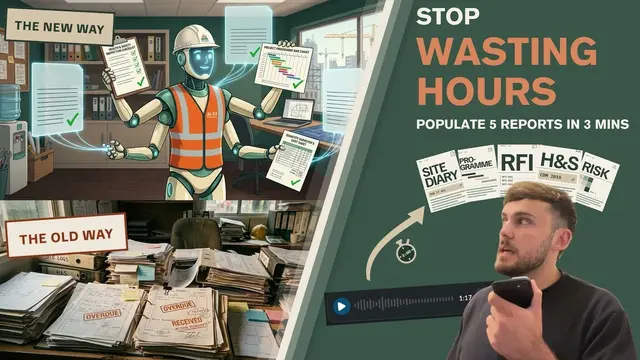
Fill in your documents without touching the keyboard.

5 reports in 3 minutes

  1. Before Records written up from memory at the end of the day.
  2. What we built Speak a voice note. It writes the document, pulls in data from your other systems, checks for gaps and files it.
  3. After Done before you're back at your desk.

What the client said

“Everyone on our team saves three to four hours a week on admin, and we trust the results. [...] Anything that does not add up gets flagged, and our document reviews now have an extra layer of checking.”

Thomas Lee, Managing Director, L&B. Haulage & Civil Engineering Contractors Limited
Back to all demos

05 · finance automation ยท built and tested

Proved on: month-end timesheets and invoicing

Month-end billing without the chasing.

  1. Before Chasing timesheets, checking rates by hand and keying invoices one by one.
  2. What we built Chases missing timesheets, gets them signed off, checks rates and gaps, and drafts the invoices in your accounts software.
  3. After You approve once. The invoices are waiting as drafts.
Back to all demos

06 · bid automation ยท built and tested

Proved on: a fit-out tender return

A tender read, priced and drafted, ready for your sign-off.

  1. Before Days reading the pack, pricing line by line and rewriting old answers.
  2. What we built Reads the tender pack and flags contract risks, asks you go or no-go, prices it from your own rates and past jobs, and drafts the quality answers from your past bids.
  3. After You check and approve. Nothing goes out without you.
Back to all demos

07 · finance automation ยท built and tested

Proved on: a project cost report

Long reports built in minutes, and checked.

  1. Before Hours keying invoices into long reports, with errors and duplicates slipping through.
  2. What we built A system that reads, codes and books every invoice, from the project folder or the inbox, and sense-checks each line before it lands.
  3. After Reports done faster, reconciled to the penny, with a second pair of eyes built in.

All companies, documents and figures shown below are fictional test data.

  1. Your team

    Invoices arrive as normal

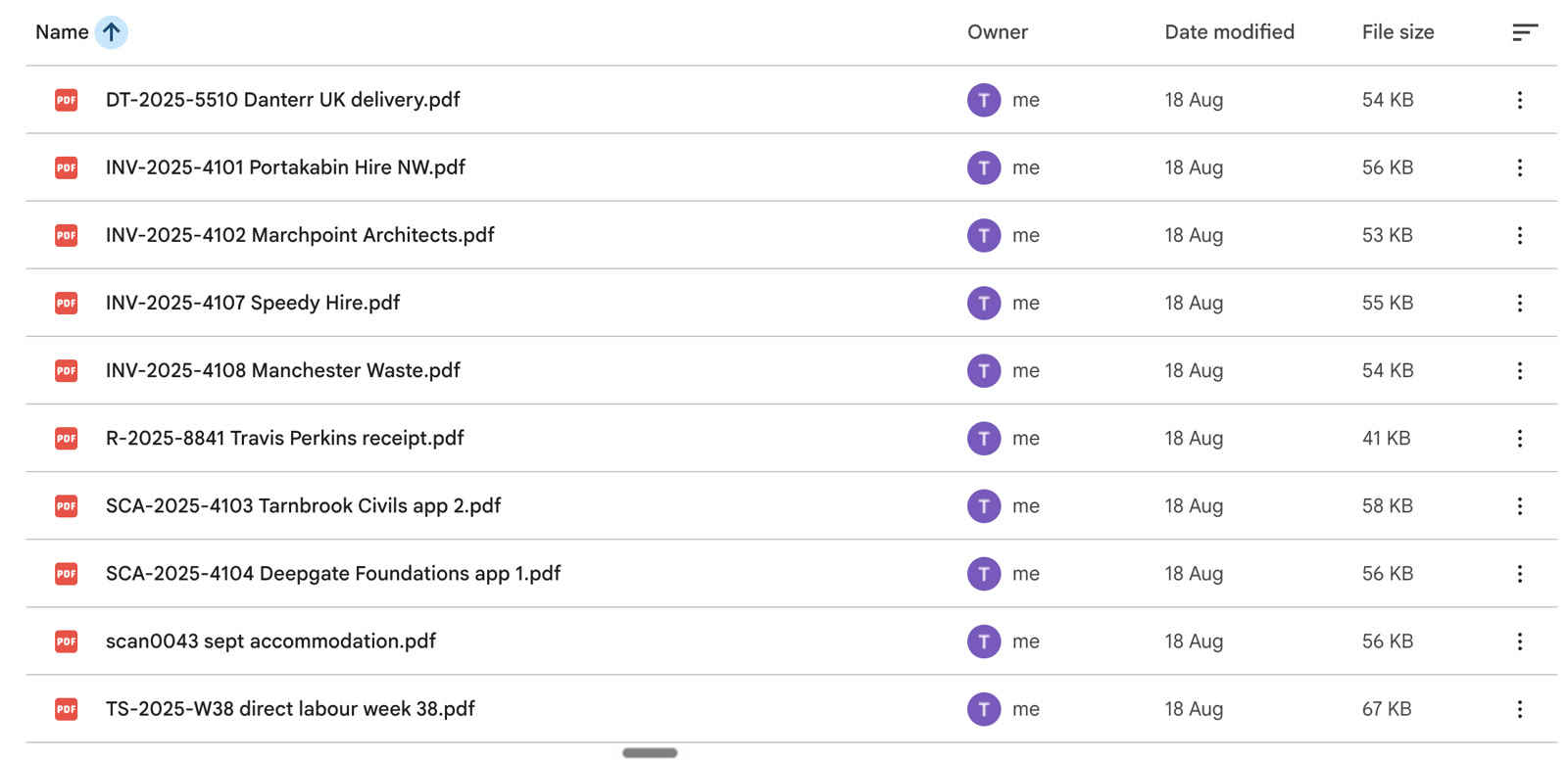
    Suppliers send them in, and they get saved to the project folder. Nobody changes how they work.

    A project folder of supplier invoices, timesheets and applications, some with messy file names
  2. The AI

    Checks the inbox too

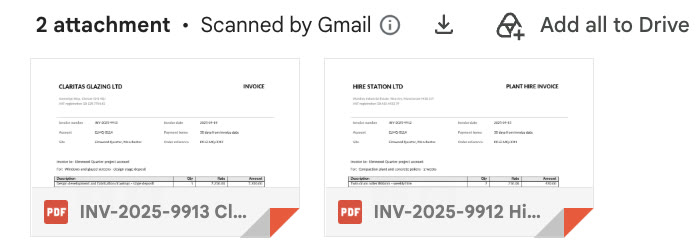
    Finds invoices that were emailed but never filed, so nothing goes missing.

    An email with two supplier invoices attached as PDFs
  3. The AI

    Reads and codes every line

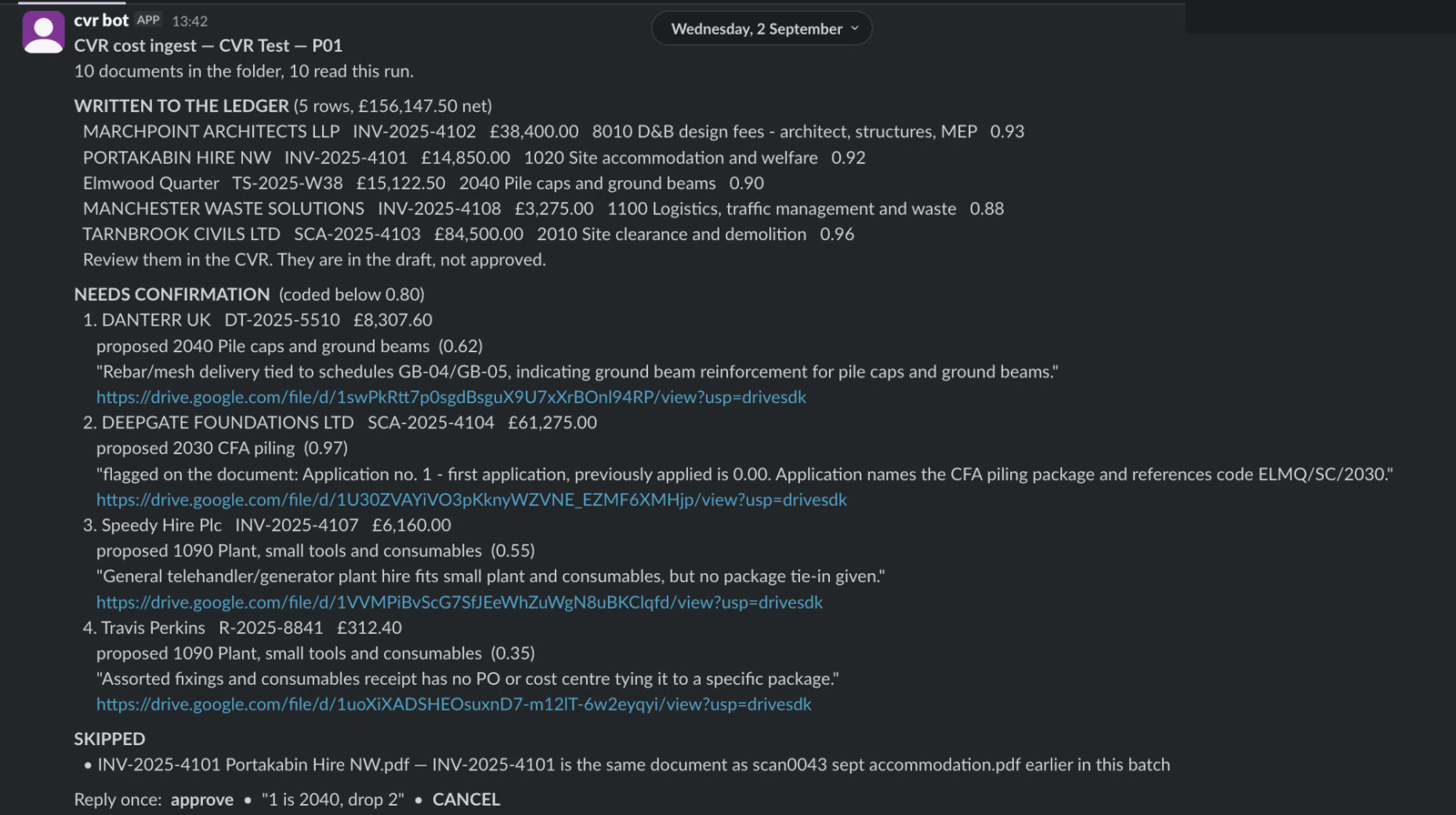
    Each cost goes to a cost code with a confidence score. Duplicates are caught before they count twice.

    A message listing five costs booked with confidence scores, four waiting for confirmation with reasons, and one duplicate skipped
  4. The AI

    Books what it is sure of

    Confident lines go straight into the cost ledger, marked as draft.

    The cost ledger with five booked lines, each coded automatically with a confidence score
  5. Your team

    Confirms the rest in one reply

    Anything it is unsure of comes to you. Reply "approve", or correct it in plain words.

    A one-line reply correcting one cost code and dropping two items
  6. The AI

    Books, files and reconciles

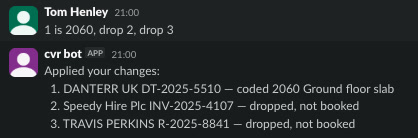
    Confirmed lines are booked, emailed invoices are filed, and the totals are checked to the penny.

    The reply applied: one line recoded and booked, two dropped and not booked
  7. Your team

    Reviews and signs off

    The cost report is ready to check, not to build.

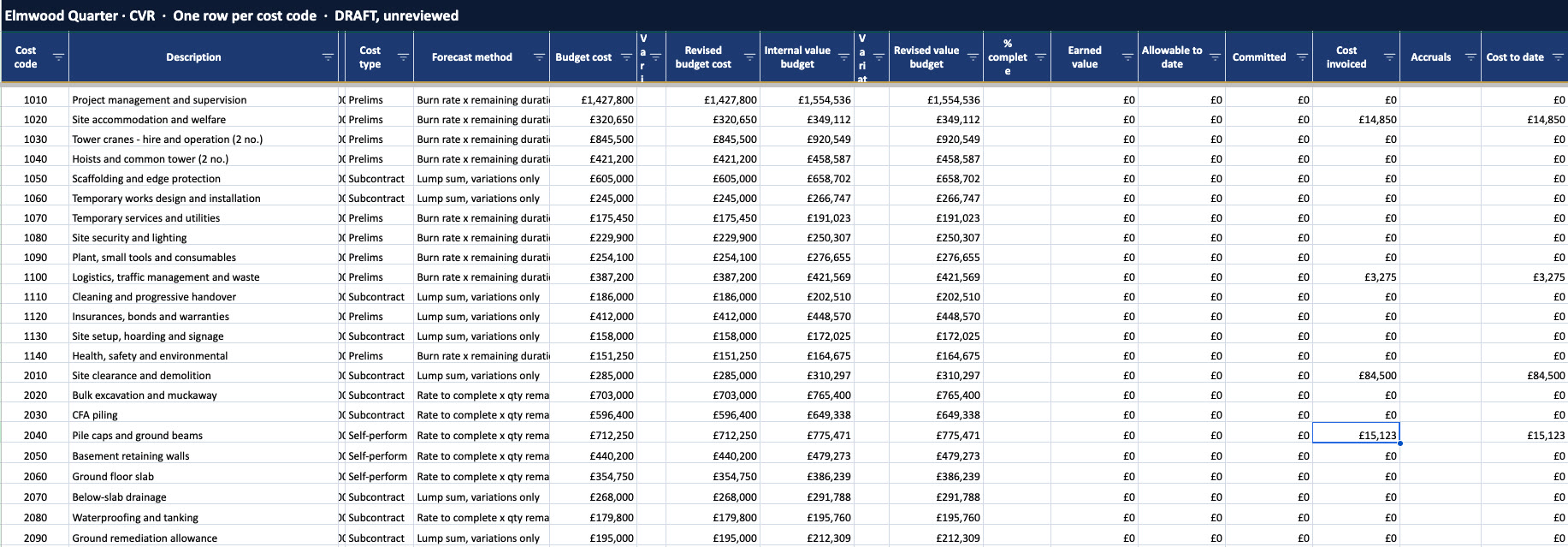
    The cost report, one row per cost code, with the booked costs landing against their codes
Back to all demos

By area

Every part of the business has hours to win back.

Pick an area to see what's possible.

at the centre

Your business

Projects

Keep every project moving without chasing it.

For example

  • Project setup from a proposal
  • Timelines and trackers
  • Weekly status reports
  • Meeting notes into actions
  • Query and RFI logs
  • Risk registers
  • Handover packs

And plenty more. If it's repetitive, it can probably be automated.

Talk to us about yours
Projects
Works with the tools you already use, and many more

Sales

Never let a lead go cold.

For example

  • Lead research and enrichment
  • CRM kept up to date
  • Follow-up drafts
  • Proposals from a brief
  • Quote generation
  • Pipeline reports
  • Call notes into the CRM

And plenty more. If it's repetitive, it can probably be automated.

Talk to us about yours
Sales
Works with the tools you already use, and many more

Marketing

Consistent output without a bigger team.

For example

  • Content calendars
  • Posts drafted in your voice
  • One piece repurposed into many
  • Campaign reports
  • Competitor tracking
  • Case studies from project notes
  • Video clipping and captions

And plenty more. If it's repetitive, it can probably be automated.

Talk to us about yours
Marketing
Works with the tools you already use, and many more

Knowledge base

Everything your business knows, one question away.

For example

  • Internal AI assistant
  • Policy and process answers
  • Search across past projects and proposals
  • Onboarding new staff
  • Client history at a glance
  • Drafts from your own documents

And plenty more. If it's repetitive, it can probably be automated.

Talk to us about yours
Knowledge base
Works with the tools you already use, and many more

Finance

Numbers that stay current, and checked.

For example

  • Invoice reading and coding
  • Cost reports
  • Duplicate and error checks
  • Payment applications
  • Expense sorting
  • Cash flow updates
  • Month-end packs

And plenty more. If it's repetitive, it can probably be automated.

Talk to us about yours
Finance
Works with the tools you already use, and many more

Operations

The admin that runs itself.

For example

  • Forms filled by voice
  • Daily records and diaries
  • Compliance and deadline tracking
  • Inspection and safety records
  • Supplier and staff onboarding
  • Email triage
  • Document filing

And plenty more. If it's repetitive, it can probably be automated.

Talk to us about yours
Operations
Works with the tools you already use, and many more
  • Projects

    Keep every project moving without chasing it. For example: project setup from a proposal, timelines and trackers, weekly status reports, meeting notes into actions, query and RFI logs, risk registers, handover packs, and plenty more.

  • Sales

    Never let a lead go cold. For example: lead research and enrichment, CRM kept up to date, follow-up drafts, proposals from a brief, quote generation, pipeline reports, call notes into the CRM, and plenty more.

  • Marketing

    Consistent output without a bigger team. For example: content calendars, posts drafted in your voice, one piece repurposed into many, campaign reports, competitor tracking, case studies from project notes, video clipping and captions, and plenty more.

  • Knowledge base

    Everything your business knows, one question away. For example: internal AI assistant, policy and process answers, search across past projects and proposals, onboarding new staff, client history at a glance, drafts from your own documents, and plenty more.

  • Finance

    Numbers that stay current, and checked. For example: invoice reading and coding, cost reports, duplicate and error checks, payment applications, expense sorting, cash flow updates, month-end packs, and plenty more.

  • Operations

    The admin that runs itself. For example: forms filled by voice, daily records and diaries, compliance and deadline tracking, inspection and safety records, supplier and staff onboarding, email triage, document filing, and plenty more.

What would you stop doing by hand?

Bring the job that eats the most time. We'll map it and show you where AI fits.

Book a review of your slowest job